

Grella connects matter files, facts, chronologies, cited answers, work product, and change review in one workspace.
Matter Dashboard
Commercial litigationLast updated todayActive
Summary
Northline's current matter record ties the access notice, revised programme, change-order correspondence, and delay log into one source-backed view of the dispute.
The main live questions concern when site access changed, whether Change Order 12 was approved before the revised sequence, and which source records still need review.
Issues8
Key parties7
Case weaknesses4
File notes4
See the whole matter
One connected record
Move from first file to final work.
The work changes, but the source path stays visible.
- 01
Matter files
Bring the documents for a matter into one workspace.
- 02
Source-linked record
Keep facts and dated events linked to the pages that support them.
- 03
Matter work
Use the current record for answers, timelines, and work product.
- 04
Change review
When evidence changes, see what may need another look.
How the work moves
Understand. Advance. Control.
Follow the matter from first understanding to final review.
01
Understand the matter
See the facts, people, issues, and events that shape the matter.
Explore this part of Grella02
Advance the work
Ask cited questions and turn the current record into useful work.
Explore this part of Grella03
Control change
See what changed, what may be affected, and what needs review.
Explore this part of GrellaMatter Dashboard
Start with the whole matter in view.
See the summary, key people, open issues, risks, and notes in one place.
Cited Answers
Ask the matter. Check the source.
Get an answer from the matter record, with citations you can open before you rely on it.
Chronologies
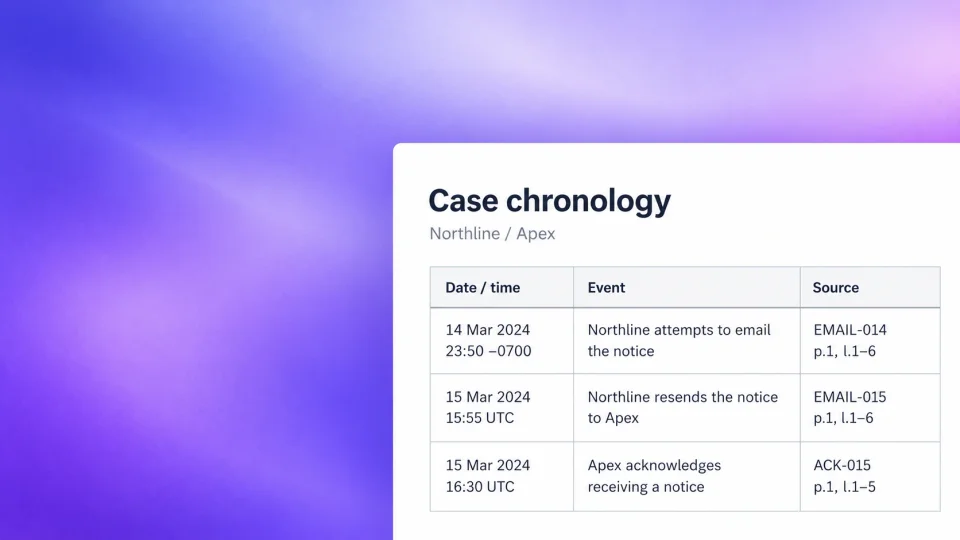
See what happened and when.
Build a full or focused timeline from dated facts. Open the source behind each entry.
Work Products
Turn the record into useful work.
Draft from the current matter record. Keep citations, review status, and export controls close.
Built to be checked
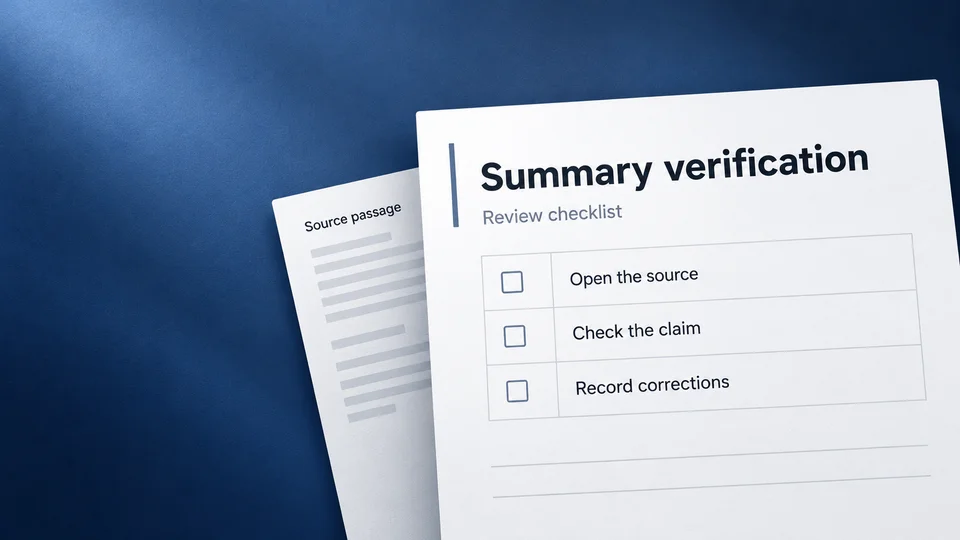
The source stays close to the work.
Grella keeps the path from matter files to facts, answers, timelines, and work product visible.
Read about security- Source path
- Open the document and page behind supported matter work.
- Visible review
- See when new evidence may affect existing work.
- Lawyer control
- Your team checks the source and controls the final work.
Working screens
Organise the record. Analyse the documents.
Views and Tabular Review have different jobs. Both stay within the matter workspace.
- Facts and matter context
- Facts are extracted or authored statements with dates and source references where available. The matter retains its documents, Facts, people, issues, notes, chats, and work products. A source link is a place to check, not a guarantee of completeness or correctness.
- Views
- Organise selected documents, Facts, parties, or issues with chosen columns and contextual chat. Editing a shared Fact changes the underlying record. A custom annotation belongs to its View and is not automatically refreshed with every source change.
- Tabular Review
- Use selected documents as rows and questions as columns. Choose answer formats, inspect supporting passages, correct answers, retain run history, rerun a cell or selection, and export CSV. Changed sources or questions can make answers stale. A rerun is explicit, and a saved answer does not automatically become a shared Fact.
Changes and decisions
Know what updates and what still needs a decision.
Refreshing the matter, revising a document, and acknowledging an impact item are separate actions.
- New and changed evidence
Upload processing can extract Facts. Supported uploads and Fact changes queue dashboard mapping or refresh in the background. Processing can finish later, remain incomplete, or fail. A usable file does not imply a complete matter map.
- Authored timelines and drafts
An existing default chronology can receive new Facts. Saved entries retain their own wording and supporting Fact versions. Source changes can make that support stale without rewriting the entry. Work products persist across chats and can be flagged for attention, but new evidence does not silently repair legal work.
- Review controls
An impact item explains why work may need attention and links to the affected item. Mark reviewed acknowledges that impact; it does not accept replacement wording or fix a citation. Accepting a suggestion adopts that specific proposal. Neither action gives blanket legal approval or provides a universal redline and restore workflow.
Alongside other tools
Read matter context in a supported AI client.
Grella’s MCP connection provides authorised, read-only access. It is not a general integration or write-back promise.
- Read-only access
Authenticated supported clients can inspect authorised matter context, documents, Facts, chronologies, work products, and visible chat history. This connection does not upload files, edit records, publish work, or grant arbitrary system access.
- Confirm the actual client
Check compatibility, permissions, source navigation, and the external client’s data terms. A read-only connection does not establish a native connection to every named AI product.


Grella is for law firms working through document-heavy matters. It helps when the team needs to connect facts across files, check a timeline, answer questions from the record, or draft from that context.
Start with a factual task
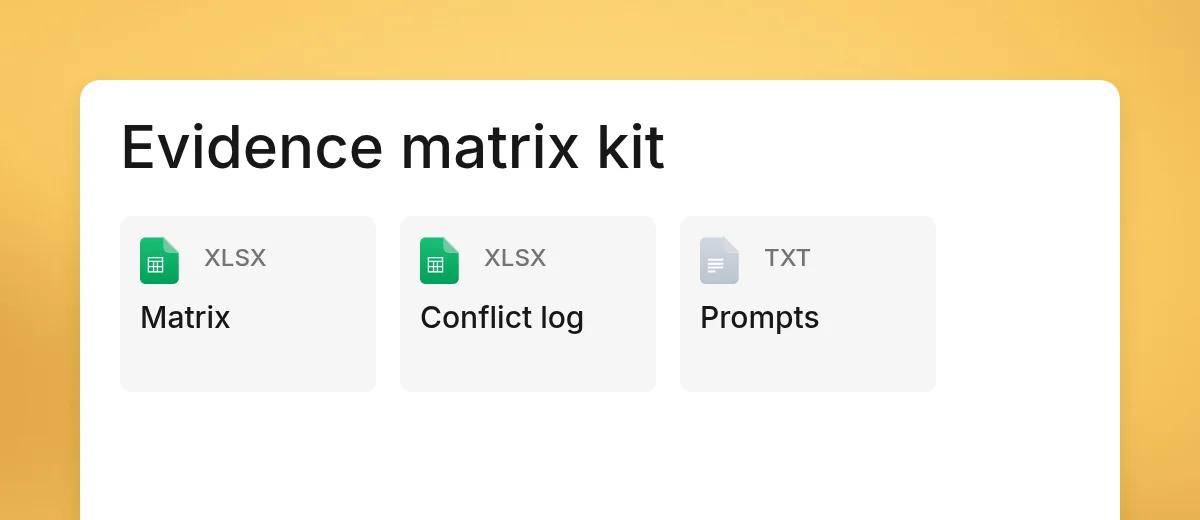
Use the method with your firm’s approved tools, or start with the editable files. The examples are fictional.
Guided demo
See the connected workspace in action.
Walk through a demo matter from source files to cited work and change review.